1. Introduction
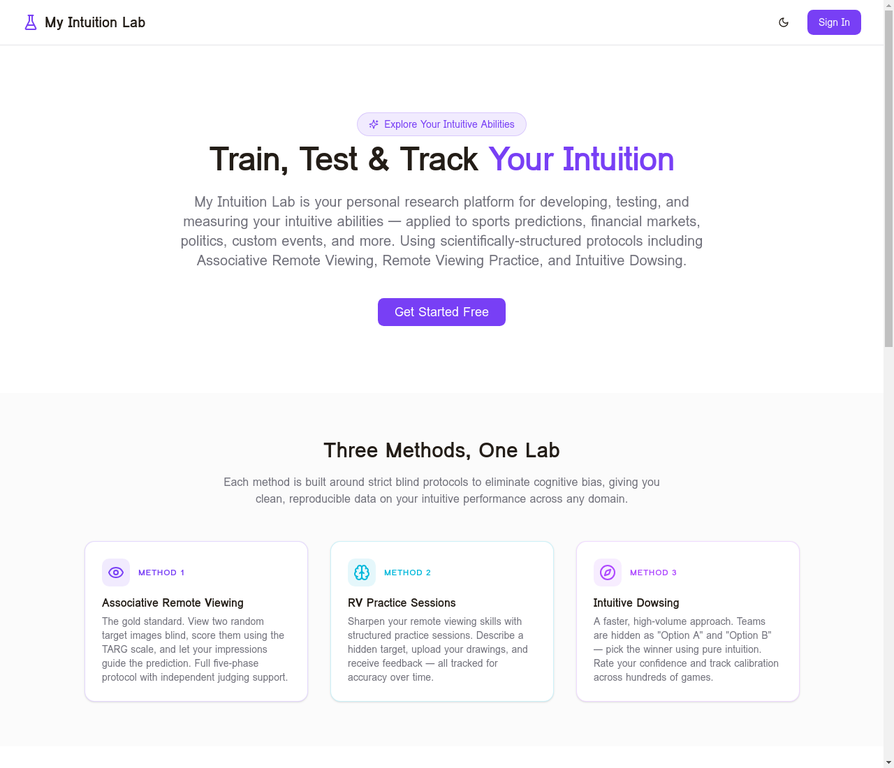
My Intuition Lab is a personal research platform designed to help you develop, test, and measure your intuitive abilities in a structured, scientific way. Unlike casual prediction games, My Intuition Lab is built around strict blind protocols — the same methodology used by researchers at Stanford Research Institute (SRI) — to eliminate cognitive bias and give you clean, reproducible data about your intuitive performance.
The platform supports three distinct prediction methods:
| Method | Description | Best For |
|---|---|---|
| Associative Remote Viewing (ARV) | Full five-phase blind protocol using target photos and the TARG scoring scale | High-quality, research-grade predictions |
| Intuitive Dowsing | Fast binary picks (Option A vs Option B) with confidence rating | High-volume practice and pattern discovery |
| RV Practice Sessions | Open-ended remote viewing with transcript and drawing upload | Skill development and feedback |
2. Getting Started
Creating Your Account
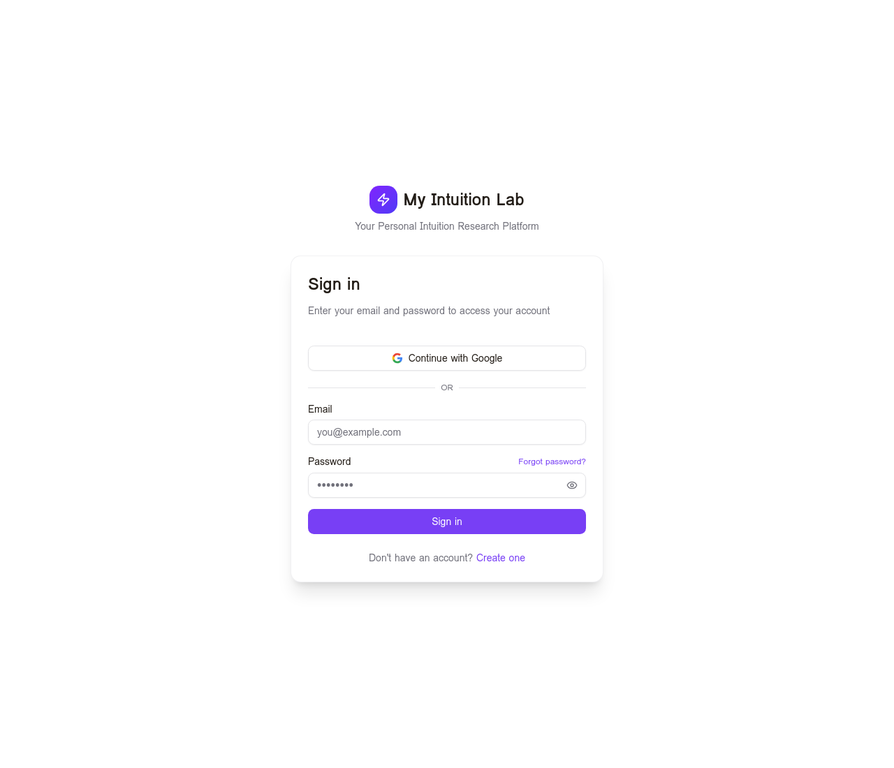
Visit myintuitionlab.com and click Get Started Free. You can sign up with your email address or use Continue with Google for one-click access. No credit card is required to create a free account.
Free vs. Premium
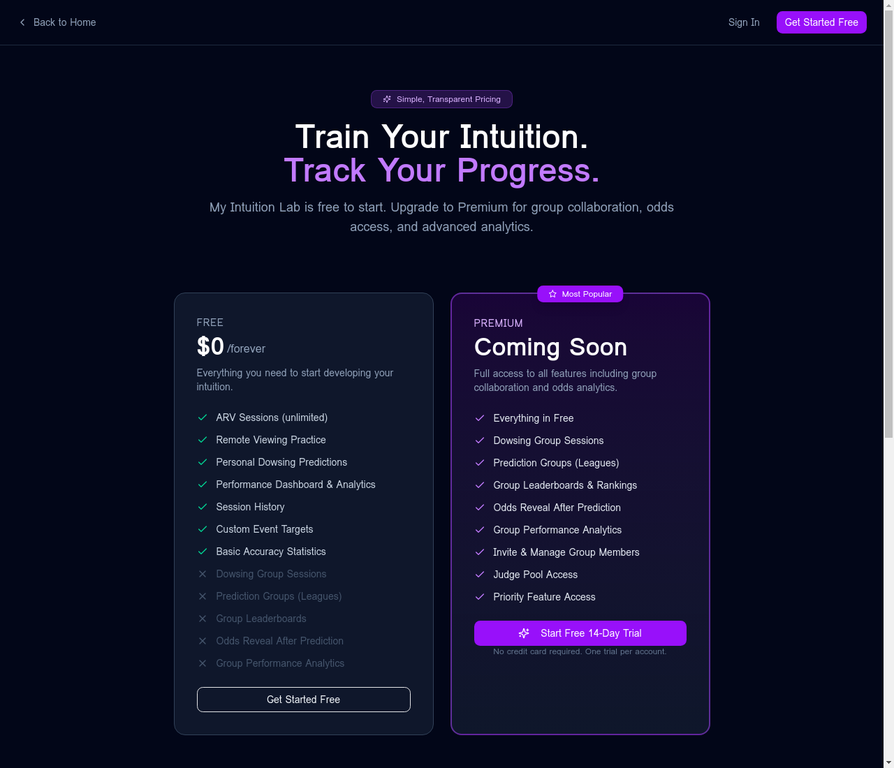
My Intuition Lab is free to use for core ARV sessions, RV practice, and personal dowsing predictions. Premium unlocks group collaboration features, real-time betting odds, and advanced analytics. A 14-day free trial is available to all new users — no credit card required, and the trial cannot be restarted once it expires.
| Feature | Free | Premium |
|---|---|---|
| ARV Sessions (unlimited) | ✓ | ✓ |
| Remote Viewing Practice | ✓ | ✓ |
| Personal Dowsing Predictions | ✓ | ✓ |
| Performance Dashboard & Analytics | ✓ | ✓ |
| Session History & CSV Export | ✓ | ✓ |
| Custom Event Targets | ✓ | ✓ |
| Dowsing Group Sessions | — | ✓ |
| Prediction Leagues | — | ✓ |
| Odds Reveal After Prediction | — | ✓ |
| Group Leaderboards & Rankings | — | ✓ |
| Judge Pool Access | — | ✓ |
3. Your Dashboard
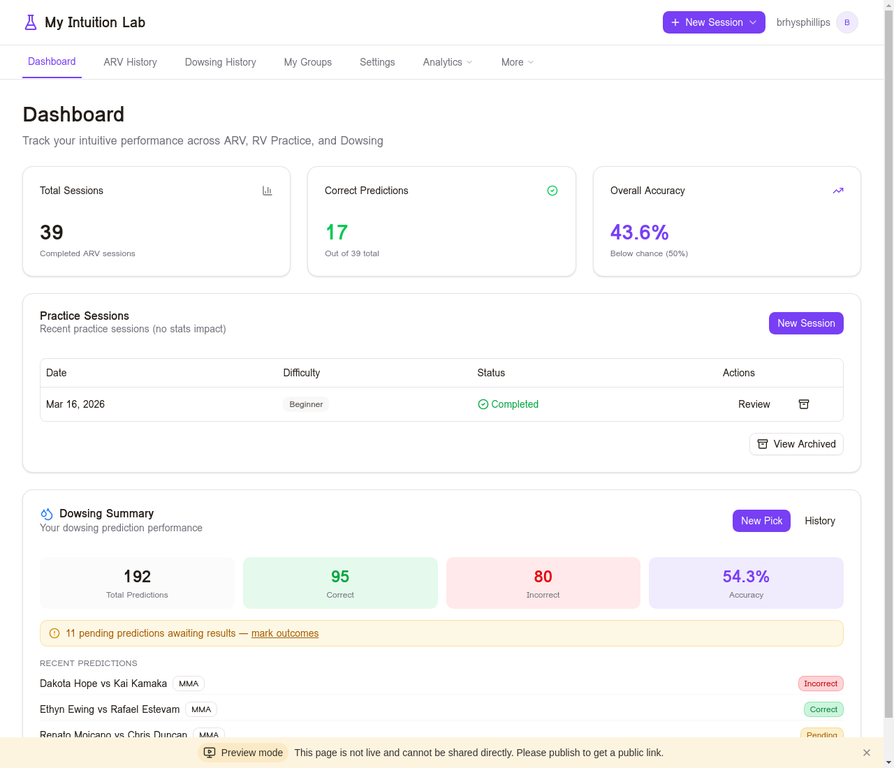
The Dashboard is your home base. It gives you an at-a-glance summary of your performance across all three prediction methods. The top row of stat cards shows your Total ARV Sessions, Correct Predictions, and Overall Accuracy. Below that, the Practice Sessions table lists your most recent Remote Viewing sessions, and the Dowsing Summary section shows your total picks and accuracy.
Navigation runs across the top of every page: Dashboard, ARV History, Dowsing History, My Groups, Settings, Analytics, and More. The + New Session button in the top-right opens the league/sport selector. The user avatar button in the top-right corner opens a dropdown with your subscription status, a link to Settings, and a Sign Out option.
4. Associative Remote Viewing (ARV)
4.1 What Is ARV?
Associative Remote Viewing is a structured protocol developed from research conducted at Stanford Research Institute in the 1970s and 1980s. The core idea is that remote viewing ability can be applied to binary prediction tasks (e.g., which team wins a game) by associating each outcome with a distinct physical target image. You never see the teams or game details during the viewing and judging phases — only two random photographs. Your impressions guide you toward one photo, and that photo is secretly associated with one of the two teams. Only after you record your prediction are the team names revealed.
This blind protocol is critical: it prevents your analytical mind from overriding your intuitive signal.
4.2 Starting a New ARV Session
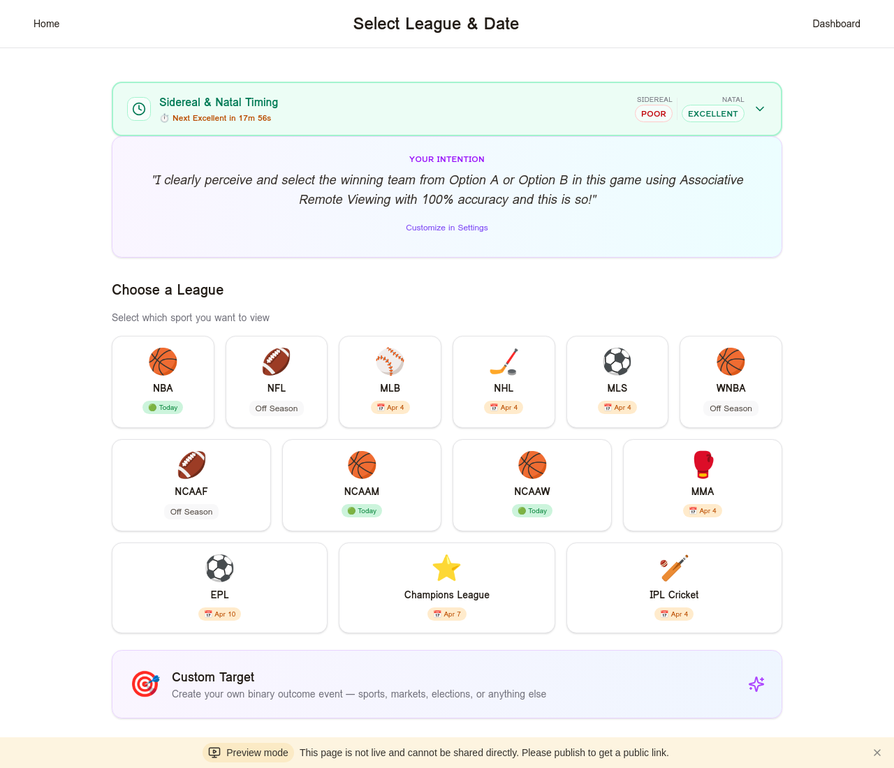
Click + New Session in the navigation bar, then select ARV Session. You will be taken to the Select League & Date screen, which shows all available sports with their next scheduled game dates. Sports currently in season are highlighted in green ("Today"). Select the sport you want to predict, then choose a specific game from the list.
4.3–4.7 The Five Phases
Each ARV session progresses through five phases:
| Phase | Name | What You Do |
|---|---|---|
| 1 | Tasking | Receive your Target Reference Number (TRN) and intention statement. Choose to begin now or save for later. |
| 2 | Viewing | Record your impressions and optionally upload a drawing — without seeing any game details. |
| 3 | Judging | Score two blurred target photos on the TARG scale (0–7) and select which best matches your impressions. |
| 4 | Prediction | Commit your selection. Team names are revealed. The session awaits the game result. |
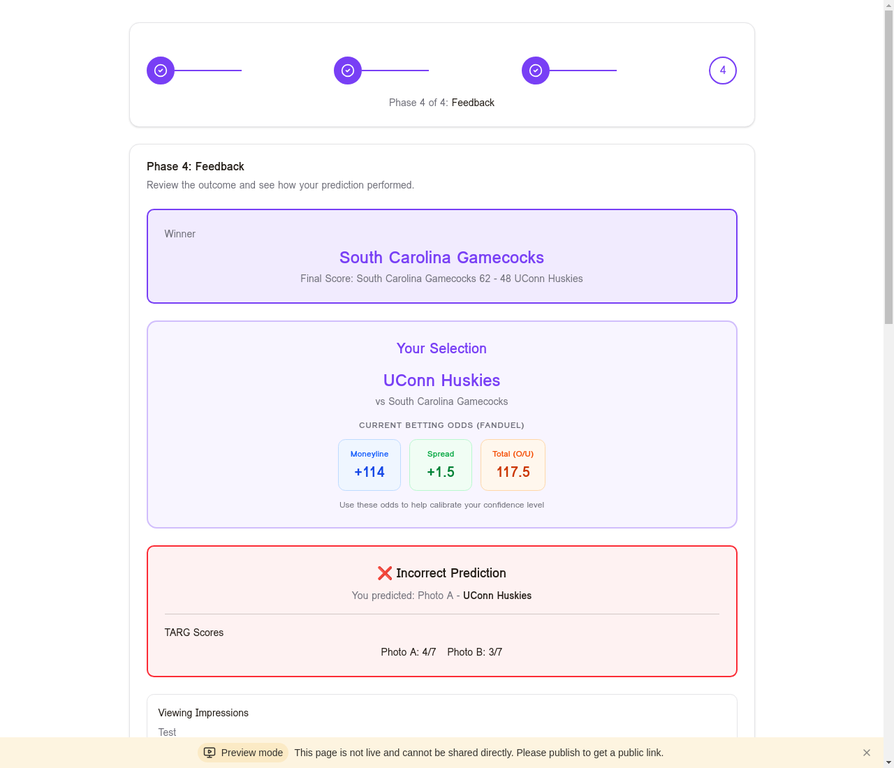
| 5 | Feedback | See the outcome, your TARG scores, and your viewing impressions side-by-side with the result. |
In Phase 2, do not try to analyze or interpret your impressions. Simply record whatever arises — even if it seems unrelated or nonsensical. The judging phase is where analysis happens.
The TARG Scale
| Score | Description |
|---|---|
| 0 | No match whatsoever |
| 1 | Very slight resemblance |
| 2 | Slight resemblance |
| 3 | Moderate resemblance |
| 4 | Good resemblance |
| 5 | Strong resemblance |
| 6 | Very strong resemblance |
| 7 | Perfect match |
4.9 ARV History & Filters
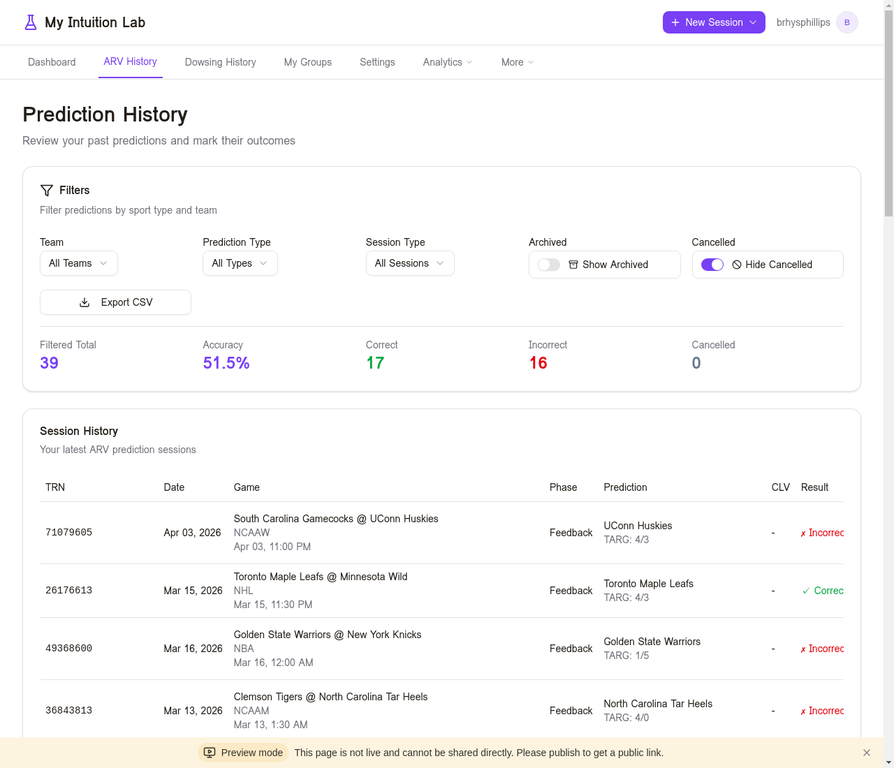
The ARV History page shows your complete prediction history with powerful filters: team, prediction type, session type, date range, and more. The summary bar always shows your filtered totals. Use Export CSV to download your full history as a spreadsheet, or Download Report on any session detail page to generate a formatted PDF of that individual session.
5. Intuitive Dowsing
5.1 What Is Intuitive Dowsing?
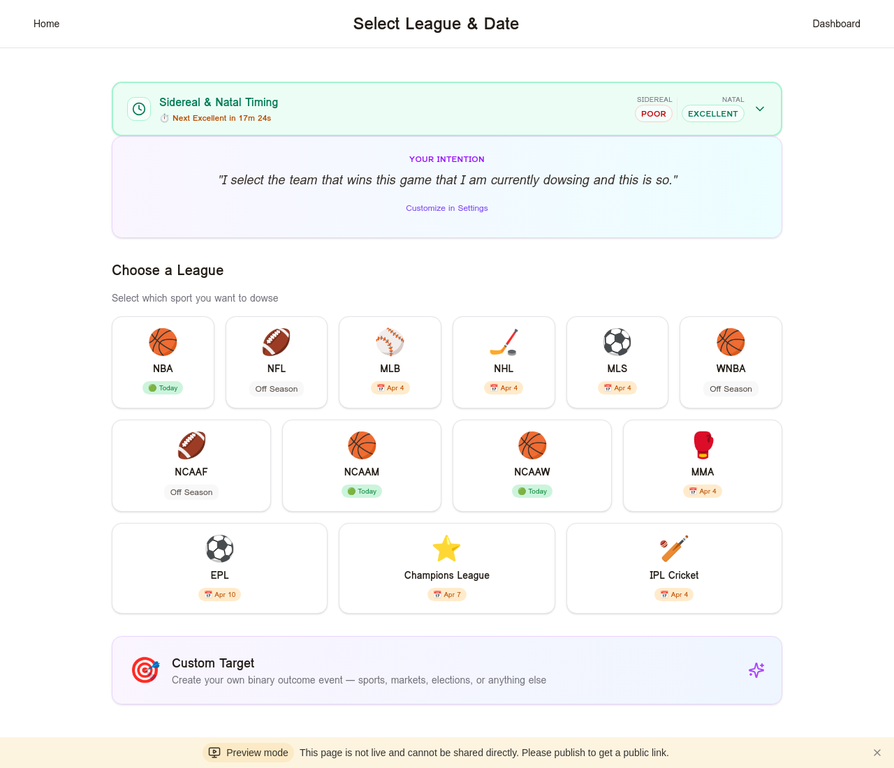
Intuitive Dowsing is a faster, higher-volume prediction method. Rather than running a full five-phase ARV protocol, you simply pick between Option A and Option B — two teams presented without their names — using pure intuition. You rate your confidence on a 1–10 scale, and the system tracks your accuracy across hundreds of picks to reveal patterns.
5.3 Dowsing History & Filters
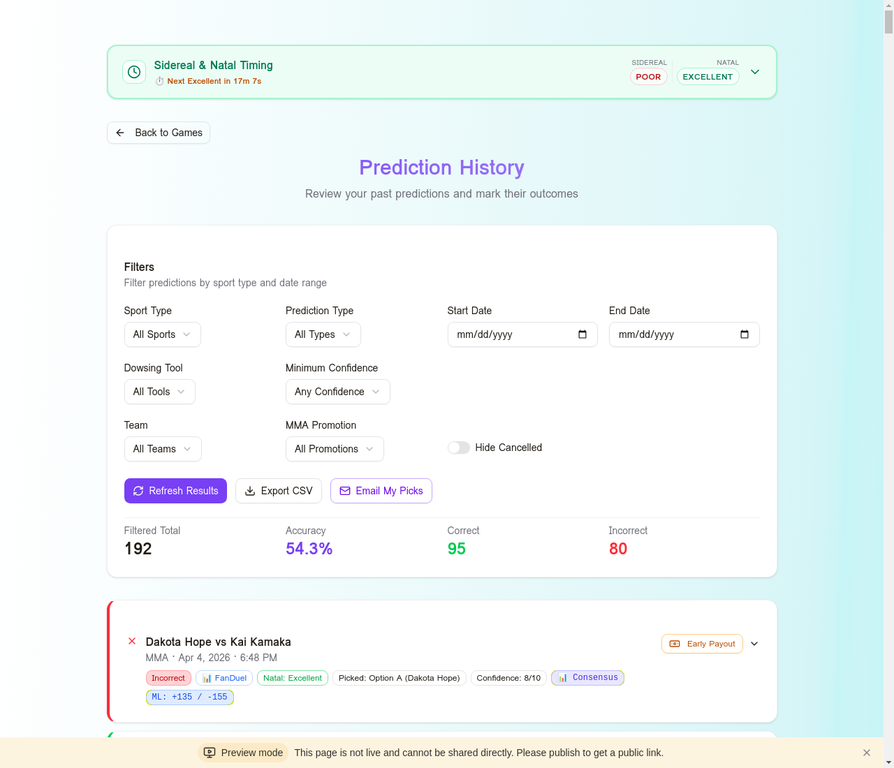
The Dowsing History page is your complete log of all dowsing picks, with the most comprehensive filtering in the app: sport, prediction type, date range, sportsbook source, minimum confidence, team, and MMA promotion. Three action buttons are available: Refresh Results, Export CSV, and Email My Picks (sends yourself a formatted report of all pending predictions — useful before a big card).
6. Group Features (Premium)
6.1 Group Dowsing Sessions
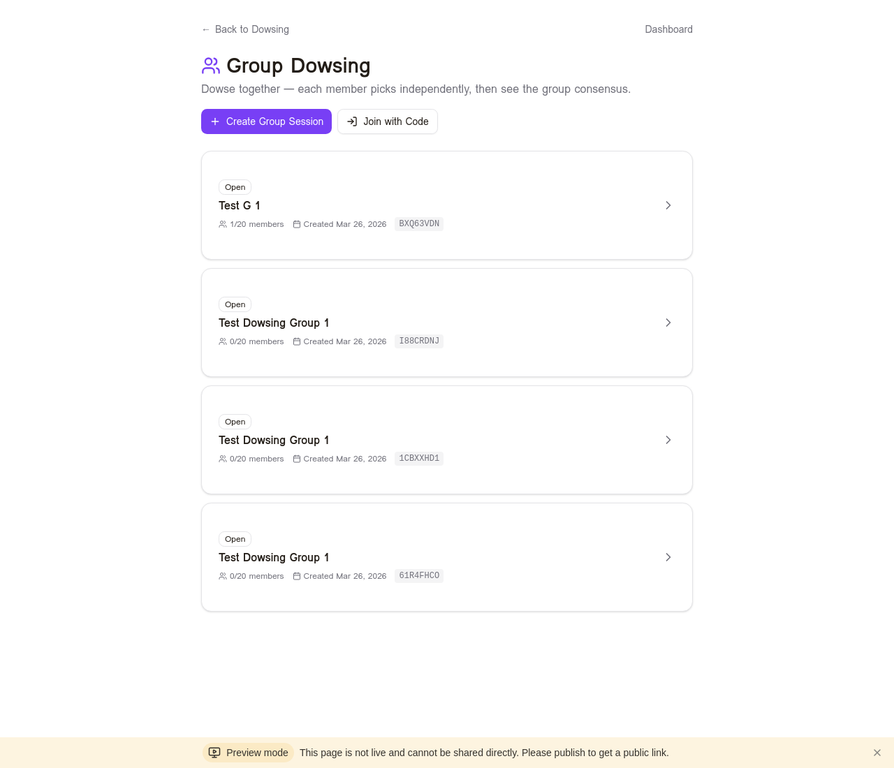
Group Dowsing allows multiple users to dowse the same game independently, then see the group consensus result. Research suggests that consensus predictions from multiple independent viewers tend to outperform individual predictions. Create a session, share the invite code, and each member submits their pick independently before the consensus is revealed.
6.2 Prediction Leagues
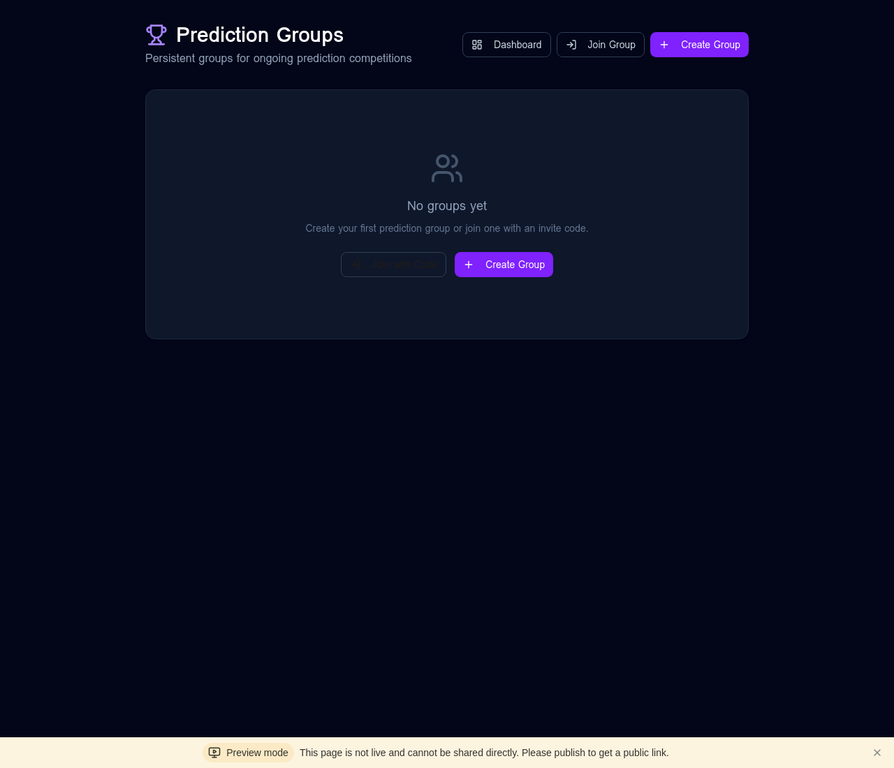
Prediction Leagues are persistent communities for ongoing prediction competitions. Unlike one-off group sessions, a Prediction League maintains a leaderboard that tracks member accuracy across all games over time. Navigate to Prediction Leagues in the top navigation and click Create League to start a new one.
6.3 Independent Judge Pool
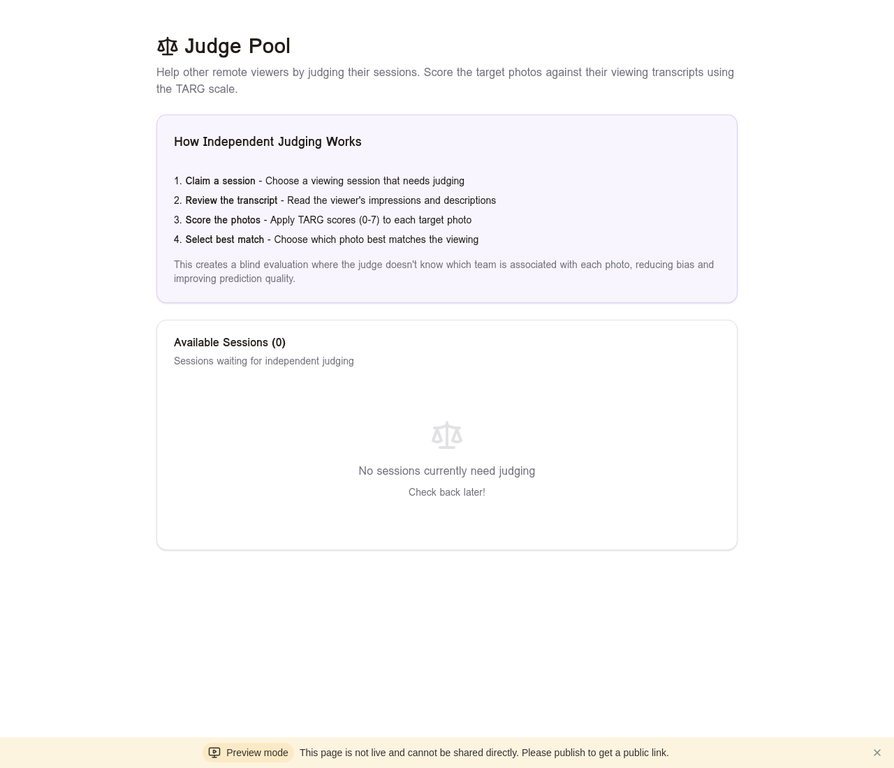
The Judge Pool separates the viewing and judging phases between different users — a key element of rigorous ARV research. When you complete a viewing session, you can mark it as Needs Independent Judge. Your session enters the Judge Pool, where another user (who has no knowledge of the game or your identity) performs the judging phase. You cannot judge your own sessions.
7. Sidereal & Natal Timing
The Sidereal & Natal Timing widget appears on the session selection and dowsing screens. It is based on research suggesting that certain windows of Local Sidereal Time (LST) correlate with improved remote viewing performance. Research by James Spottiswoode and others found a statistically significant peak in remote viewing performance when the viewer's local sidereal time is approximately 13:30 hours.
Natal Timing extends this concept by incorporating your personal birth chart. Favorable astrological transits (trines and sextiles between your natal LST and the current LST) are associated with heightened intuitive performance. The widget shows a quality rating from Poor to Excellent for both Sidereal and Natal timing, along with a countdown to the next Excellent window.
Timing data is provided as a research tool. Its influence on your personal accuracy is something you can measure over time by comparing your hit rates across different timing windows in the Analytics section.
8. Analytics
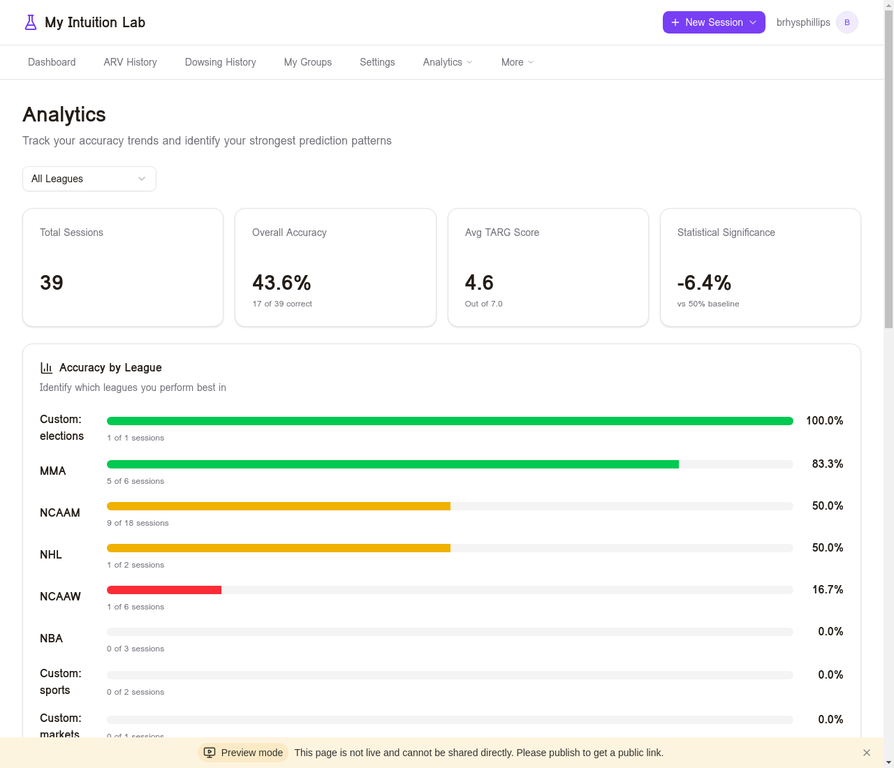
The Analytics page provides deep insight into your prediction patterns. Summary cards show your total sessions, overall accuracy, average TARG score, and statistical significance compared to the 50% baseline. The Accuracy by League chart uses color coding: green bars (above 60%) indicate strong performance; yellow (40–60%) is near chance; red (below 40%) may indicate a consistent miss pattern — which can itself be useful information.
Accuracy by Time of Day breaks your sessions into four windows (Morning, Afternoon, Evening, Night). Confidence Calibration shows whether your TARG scores are predictive of accuracy. Group Consensus Analytics (Premium) compares your individual accuracy against the group consensus accuracy.
9. Settings
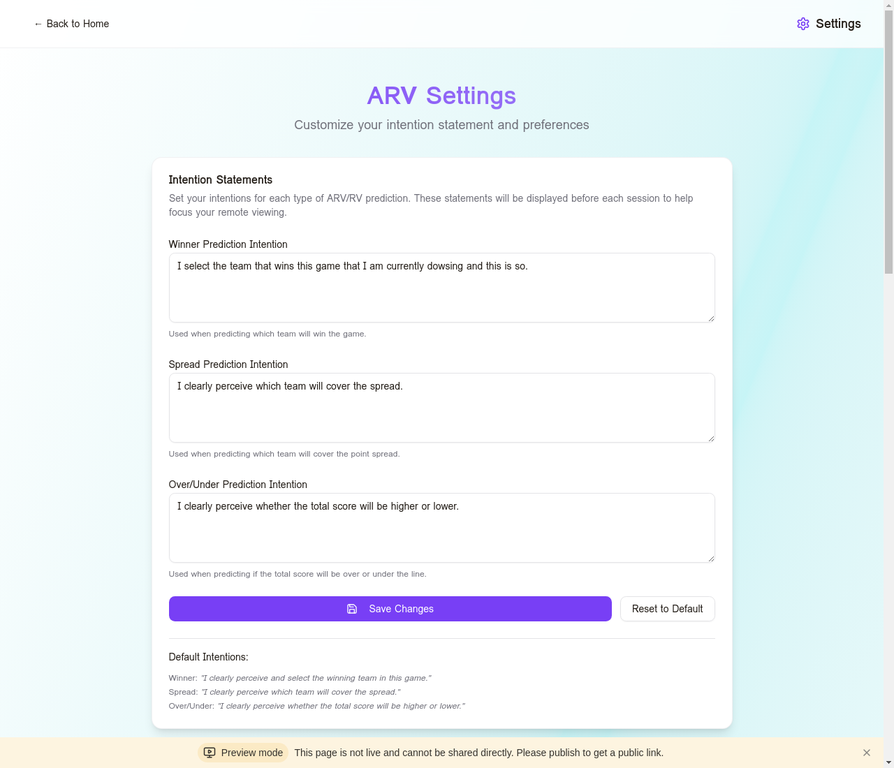
The Settings page is divided into several sections:
| Section | What You Can Configure |
|---|---|
| Intention Statements | Customize the affirmation shown at the start of each ARV and Dowsing session (Winner, Spread, Over/Under) |
| LST Widget | Enable/disable the timing widget; set your latitude/longitude or enter an address to geocode |
| Natal Chart & Optimal Timing | Enter birth date, time, and location for personalized astrological timing windows |
| Optimal Timing Notifications | Choose which timing quality levels (Excellent, Highly Favorable, Good, Favorable) trigger push notifications |
| Subscription | View your plan status, trial expiry date, and links to the Pricing page |
10. Subscription & Premium Access
Free Trial
Every new account is eligible for one 14-day free trial of Premium. The trial grants full access to all Premium features. The trial begins the moment you activate it and cannot be paused or restarted once it expires. To start your trial, click the Start Free 14-Day Trial button on any premium-gated page, or visit Settings → Subscription.
Gifted Premium
The site administrator may gift a permanent Premium subscription to select users (e.g., community contributors or promoters). Gifted Premium accounts receive an email notification and have the same access as paid subscribers with no expiry date.
11. Tips for Best Results
Consistency matters more than perfection. A single session tells you very little. Meaningful patterns emerge after 50–100 sessions. Commit to a regular practice — even two or three sessions per week — and let the data accumulate.
Use the timing widget. Even if you are skeptical, run sessions during Excellent windows for a month and compare your accuracy to sessions run at other times. Let your own data tell you whether timing matters for you personally.
Trust your first impression. In both ARV and Dowsing, the first signal that arises is typically the most accurate. Overthinking and second-guessing are the most common sources of error. If you find yourself deliberating for more than a minute, that is usually a sign that your analytical mind has taken over.
Pass when the signal is unclear. The Pass option exists for a reason. A session where you have no clear impression is better recorded as a Pass than as a forced guess. Your accuracy statistics will be more meaningful if they reflect genuine signals rather than coin flips.
Review your misses carefully. After an incorrect prediction, look at your TARG scores. Did you actually score the correct photo higher but then override your judgment? This is a common pattern and a valuable learning signal.
Use group sessions for important predictions. The Group Consensus Analytics section consistently shows that group accuracy outperforms individual accuracy. For predictions you care most about, run a group session with two or more trusted partners.
12. Frequently Asked Questions
My Intuition Lab is built for serious intuition researchers. Every feature is designed to help you collect clean, unbiased data about your own performance.
Questions? Visit myintuitionlab.com and use the contact form.